

Software selection guide
How to Evaluate Guard Patrol Software
Choose patrol software by following one representative shift from assignment to report. Use these questions to evaluate field capture, recovery, review, and fit for your operation.
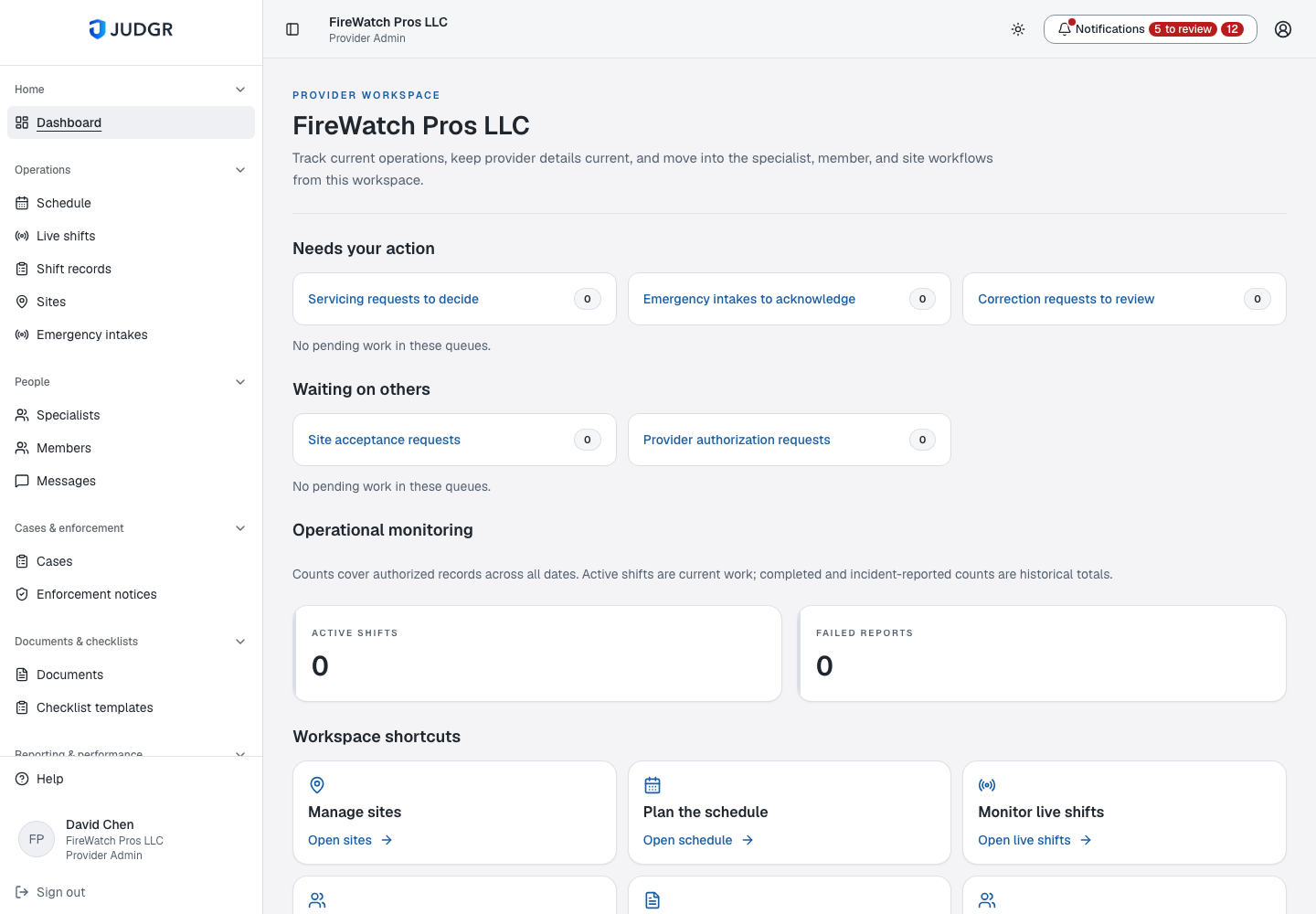
Describe the work before comparing products
Choose a typical site and shift, then add one exception: an obstruction, incident, or connection gap. Identify who prepares, performs, reviews, and accepts the work. Use that same scenario throughout the evaluation.
List intervals, movement expectations, photos, qualifications, boundaries, response procedures, and required records. Identify stationary posts early, and distinguish governing requirements from your operating preferences.
Follow preparation and assignment through to the start
Ask a supervisor to prepare the site, select a specialist, and save the assignment. Check what the specialist receives, then try a changed time, wrong site, or missing prerequisite.
For cross-region or overnight work, inspect site-local entry and each viewer’s display. JUDGR starts the specialist’s own assignment online, applying current eligibility; independent sites need no jurisdiction approval.
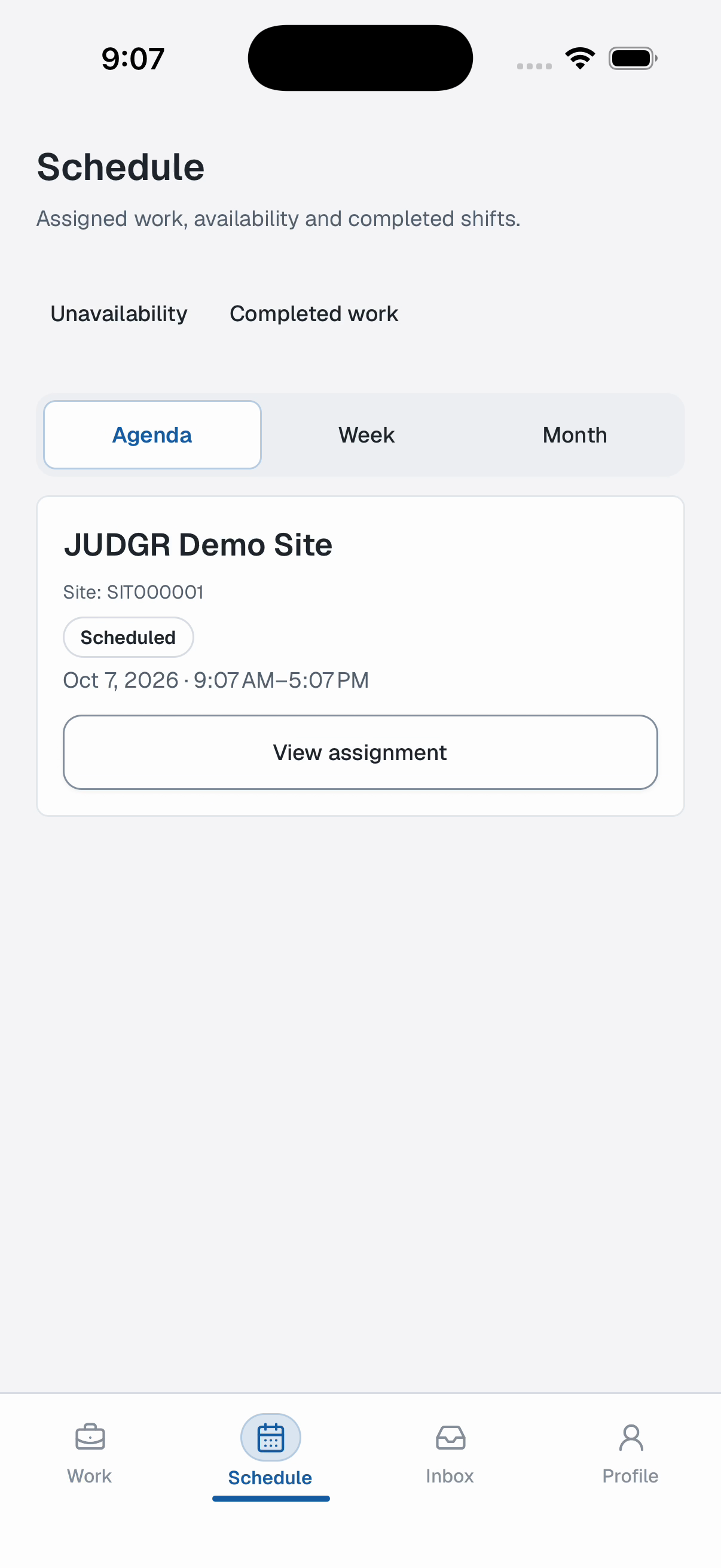
Test the ordinary mobile entry
Have the specialist record a normal round, note, and required photo. Confirm the saved result and any pending state. Then report an inaccessible area or incident and return to active work.
Try denied camera or location access. Check recovery guidance, retained drafts, and evidence status so you know what the field user can do when capture is interrupted.
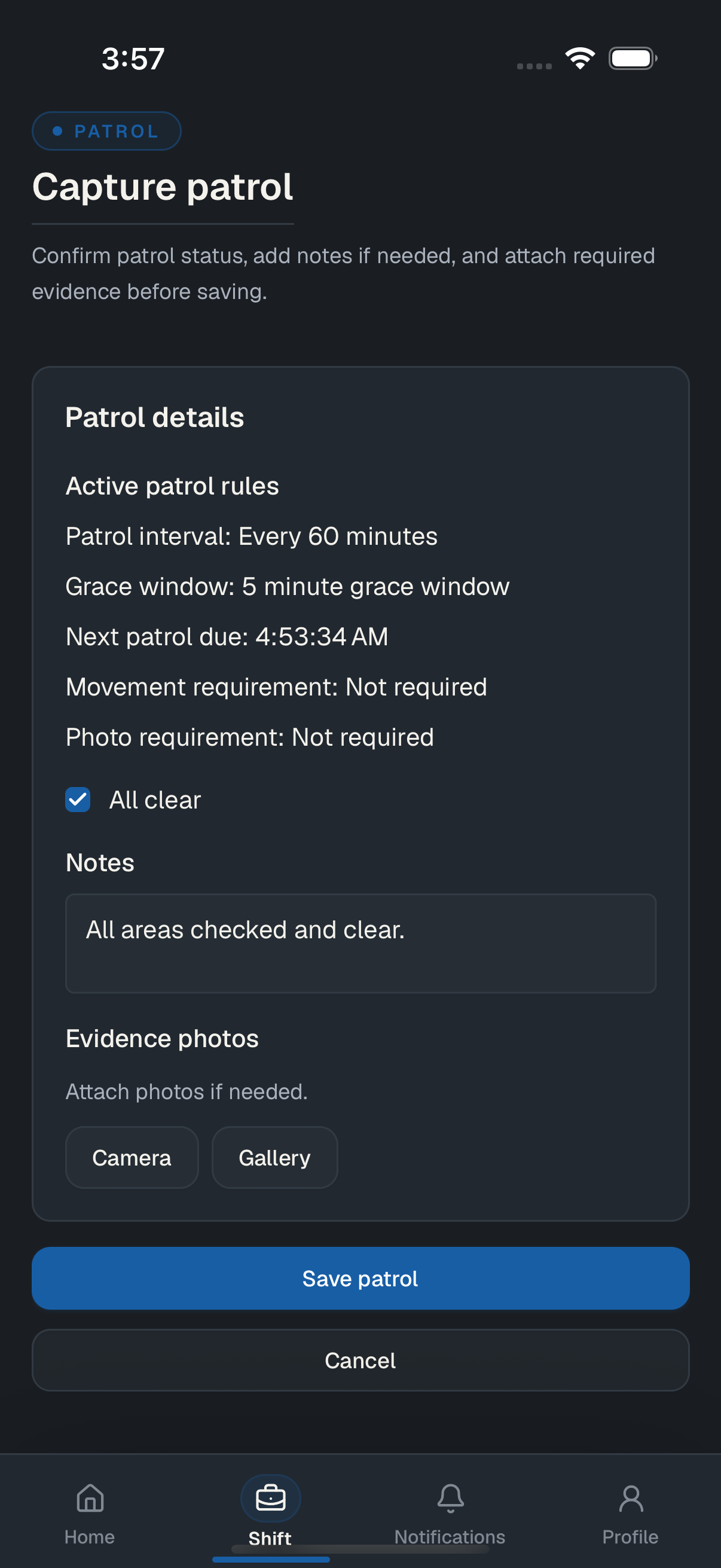
Check rule fit for moving and stationary work
Ask who controls timing, movement, photo, and qualification requirements. JUDGR’s independent policy uses a 60-minute interval, five-minute grace, required movement, optional photos, and no certification requirements.
Standing guard needs applicable movement-optional jurisdiction rules and periodic entries. Inspect the independent Fire Watch Shift Report heading alongside those conditions to establish fit for broader guard work.
Evaluate interrupted connectivity as a normal case
Disconnect after start, record supported work, then reconnect. Compare the local queue with the reviewer’s received record and check for duplicates after retry. JUDGR permits supported active-shift capture offline, while new starts require online authorization.
Test a permission interruption separately. Reconnection does not fix denied access, and retry cannot reconstruct samples never captured. Confirm closeout acceptance as well as synchronization.
Inspect the reviewer’s view and its access boundary
Ask a manager to review the patrol, note, photo, incident, and location context together. Check how timestamps and pending uploads explain what is available. JUDGR’s map shows the latest reported sample rather than continuous tracking.
Test the reviewer’s actual role and organization. AHJ access requires verification and governing scope. A report recipient’s public authenticity check remains separate from access to private evidence.
Finish the scenario with closeout and reporting
Close the shift and inspect acceptance and report processing separately. Open the PDF as a recipient would: confirm identity, dates, patrol sequence, evidence references, incidents, and location context.
Check a failed generation and protected correction. In JUDGR, correction and replacement processing have separate states, with prior successful artifacts retained. Public verification checks authenticity while protecting private evidence.
Separate operational fit from adjacent business needs
Identify the tools used for staffing, payroll, timecards, invoicing, and accounting. Ask whether an integration means an export file, a direct connection, or a proposed capability.
JUDGR focuses on operational documentation. Payroll, timecards, invoicing, and direct accounting synchronization are excluded. Commercial arrangements go through Contact rather than self-service checkout.
Leave with evidence your team can assess
Keep the sample report, demonstrated outcomes, and unresolved questions. Let field users and reviewers assess the same evidence. Bring the templates and your representative shift to a conversation about fit, especially for stationary duties or unusual requirements.
Keep exploring
Next step
Bring your records into one workflow
Tell us about your team, sites and reporting needs. Explore JUDGR or discuss your workflow with us.