
Mobile field workflow
Capture a patrol where the work happens
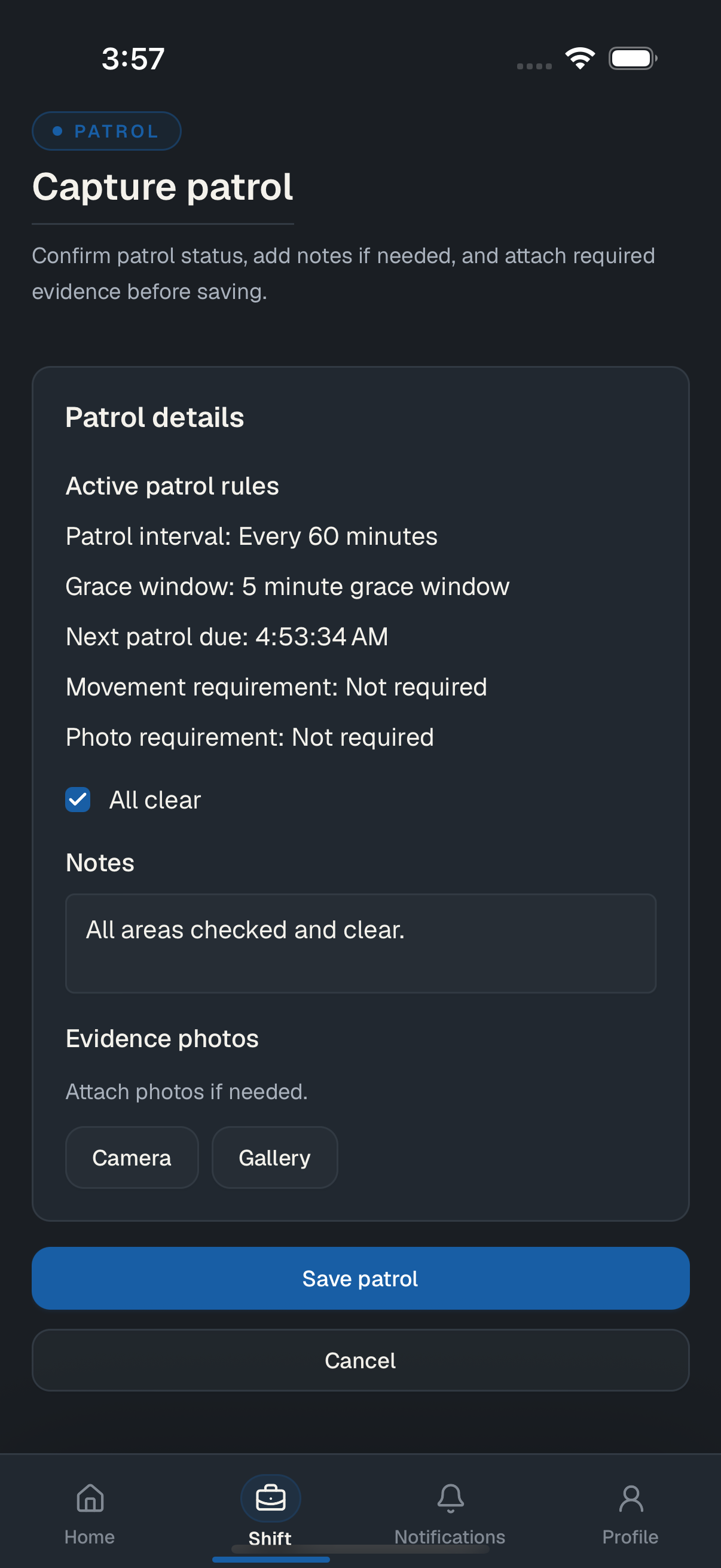
Review the active patrol rules, record status and notes, and attach required evidence from the specialist workflow.
Fire-watch operations software
JUDGR helps fire-watch specialists record shifts, timed patrols, GPS activity, notes, photos, and incidents in the mobile app. Authorized provider and AHJ teams review current and completed work on the web, and generated reports can be checked through a public verification link.
For field specialists, fire-watch providers, and authorities having jurisdiction.
Field to review
JUDGR keeps assignment details, field activity, evidence, review, and report output connected to the same fire-watch shift record.
Site, schedule, specialist, and jurisdiction context
Start and end events with recorded mobile GPS samples
Timed rounds, observations, and incident activity
Photos and notes attached to the operating record
Generated output with integrity and verification details
Product in use
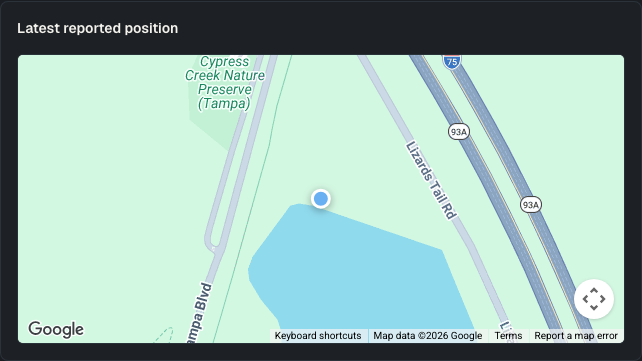
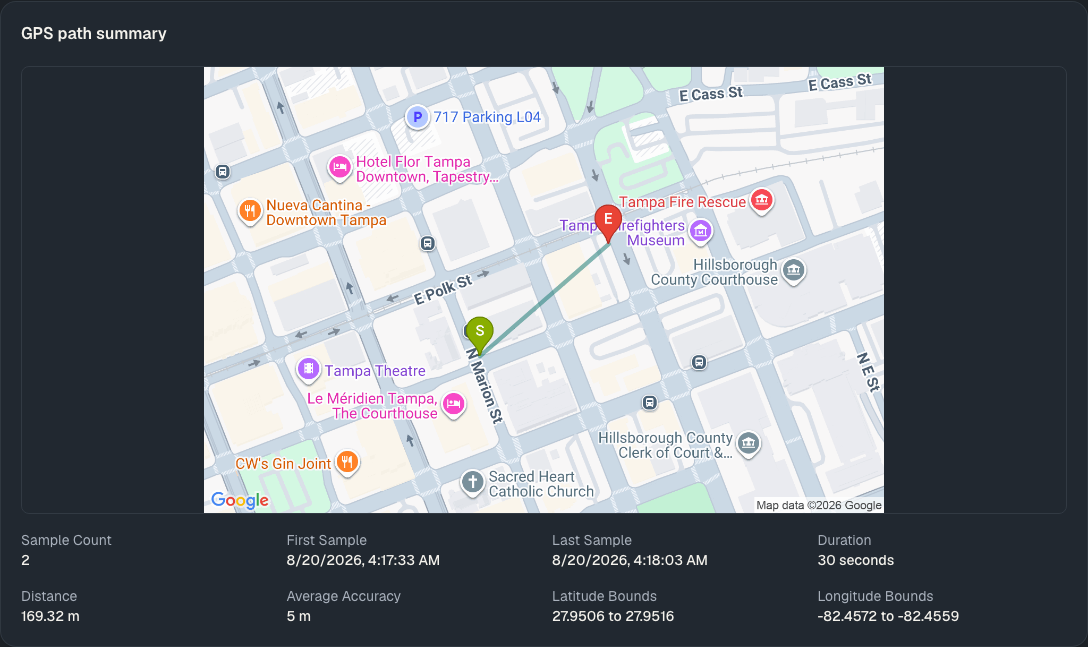
Specialists capture patrol activity in the mobile app. Authorized provider and AHJ reviewers can inspect the latest reported position for an active shift and the recorded GPS trail after a shift ends.
Mobile field workflow
Review the active patrol rules, record status and notes, and attach required evidence from the specialist workflow.
Web review
The active-shift view shows one latest reported position. The completed-shift view shows the recorded GPS samples as a shift-wide trail with a written summary below the map.
Role workflows
Each role sees the fire-watch records and actions needed for its part of the workflow while the underlying shift record stays connected.
Execute assigned fire-watch work
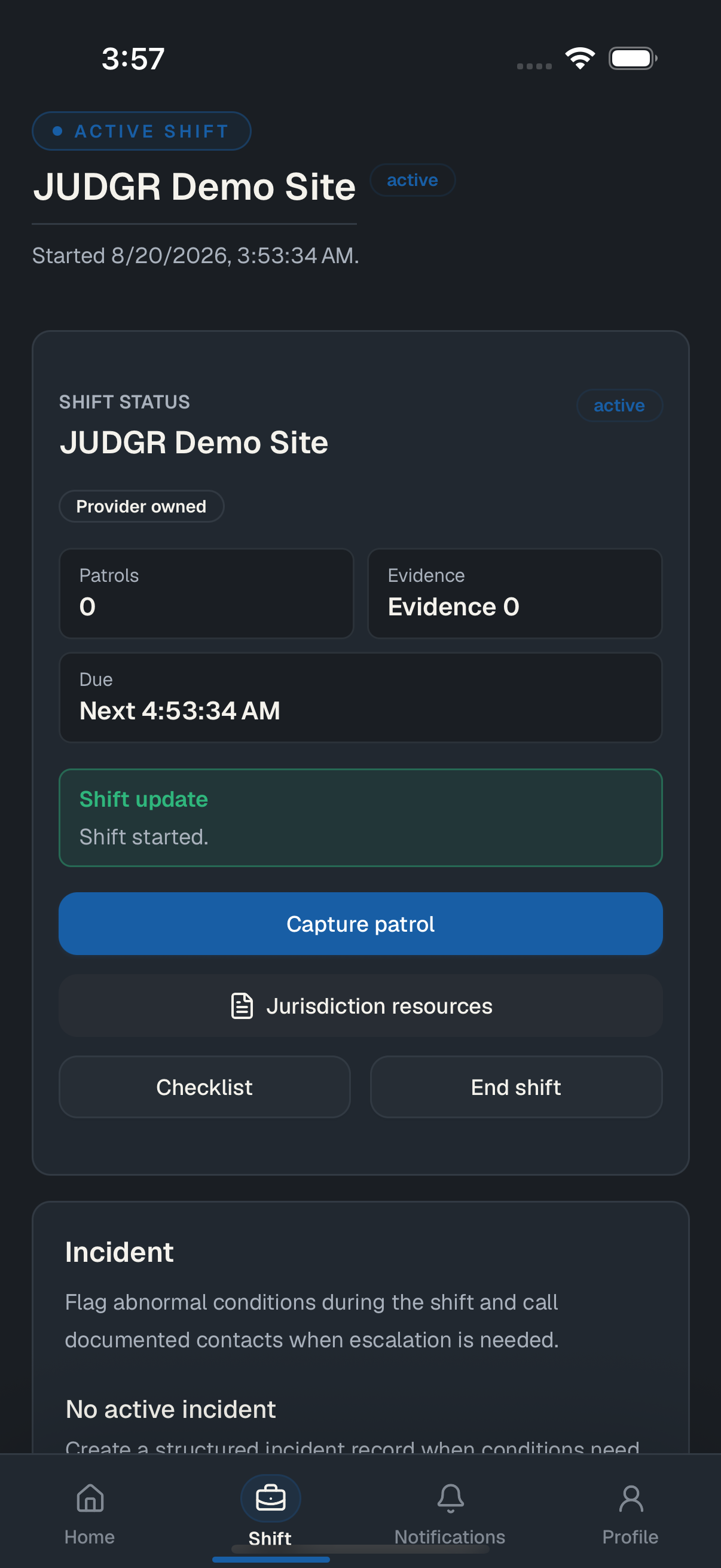
Start and end shifts, follow patrol timing, capture observations and incidents, and attach evidence from the mobile app.
Coordinate people, assignments, and sites
Schedule work, review specialist readiness, inspect scoped shift status, and work with completed records and reports.
Define requirements and review records
Manage jurisdiction rules and inspect the scoped operations, reports, and verification details available to the organization.
Why JUDGR
JUDGR keeps people, recorded activity, evidence, and review context together while leaving operational and legal decisions with the responsible providers and authorities.
Assignment context, field activity, evidence, review, and reports remain connected to the same operational record.
Field, provider, and jurisdiction roles receive the records and actions defined for their organization and job.
JUDGR presents captured activity and integrity context without replacing the people responsible for operational or legal decisions.
Record controls
JUDGR records fire-watch activity and keeps its context available to authorized people responsible for review.
Location samples recorded during a shift remain associated with the shift record for scoped review.
Patrol entries, photos, notes, observations, and incident activity stay connected to the shift.
Hash-chained audit events make later changes detectable during integrity verification.
Completed work can produce a report with evidence, GPS summary, integrity details, and public verification.
Pricing
Verified authorities having jurisdiction receive the AHJ workflow at no charge. Provider plans are organized by operational capability and active specialist and site capacity—not patrol, report, evidence, or GPS sample counts.
Jurisdiction administration and scoped operational review for verified AHJ organizations.
$0
No charge for AHJ organizations
Jurisdiction rules and site coordination
Active and completed shift review
Report templates and public verification
Cases, enforcement, exports, and analytics
$149/ month
Up to 5 active specialists and 3 active sites
For providers establishing a connected field record from shift start through report verification.
$299/ month
Up to 25 active specialists and 15 active sites
For provider teams coordinating scheduled work, field readiness, and repeatable operating procedures.
CustomContact-based pricing
Capacity defined with your operation
For providers that need broader oversight across active work, operating trends, and performance review.
Provider prices are shown in USD per organization and billed monthly. Plans are arranged directly with JUDGR. Self-service checkout and automatic plan-limit enforcement are not currently available.
Related resources
JUDGR focuses on operational software. These related sites support adjacent parts of fire-watch work.
Staffed fire-watch services and provider information for planned and emergency coverage.
Explore REDLINE fire-watch servicesOnline fire-watch training and certification resources. Completed Thinkific outcomes can appear in JUDGR specialist profiles when the integration is configured.
Explore Fire Watch Academy trainingFire-watch log tools, forms, and jurisdiction information for teams working with patrol documentation.
Explore The Fire Watch Log resourcesNext step
Start through the public access path, or contact us with questions about mobile field work, authorized review, reports, and verification.