
Jurisdiction rules
Jurisdiction settings and versioned rules provide the patrol timing and operating requirements used by the shift workflow.
Documentation controls
JUDGR connects jurisdiction rules with recorded shift activity, GPS samples, patrol entries, evidence, audit history, generated reports, and public verification. It supports documentation and review; it does not decide legal compliance.
Record structure
These record controls connect configured requirements, field activity, review, and report output without turning software output into a legal compliance conclusion.
Jurisdiction settings and versioned rules provide the patrol timing and operating requirements used by the shift workflow.
GPS samples, patrol entries, evidence, and incident activity stay associated with the relevant shift.
Material writes append to a hash-chained audit history so later changes can be detected during integrity verification.
Completed work can produce a report with an evidence manifest, GPS map, integrity details, and public QR verification.
Completed record
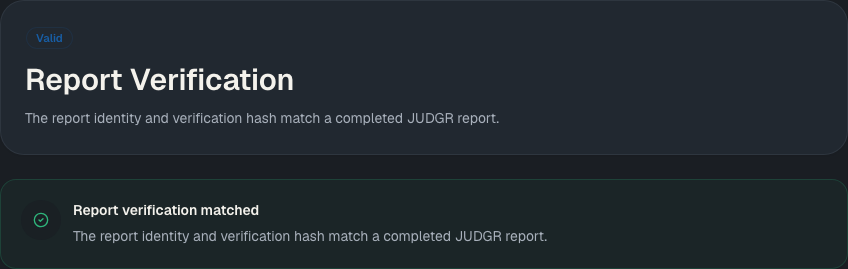
Reviewer detail can show a recorded, completed shift GPS trail. Persisted samples belong to the shift as a whole, not to an individual patrol. The public verification route returns the generated report's current verification status.
Review boundary
JUDGR preserves operational inputs and their context for the people responsible for review.
Authorized AHJ users manage jurisdiction rules and their version history.
The mobile workflow records what the specialist submitted during the shift.
Authorized provider and AHJ users review the operational record available to their organization.
Report and audit verification surfaces expose the integrity information generated by the platform.
Important boundary
JUDGR software does not determine whether an organization, site, shift, or person is in legal or regulatory compliance. It does not replace an authority having jurisdiction, legal counsel, or other qualified professional advice. Applicable requirements and final determinations remain with the responsible authorities and operators.
Public verification returns the report and integrity status available from JUDGR. It is not a certification, approval, or legal opinion about the underlying fire-watch work.
Next step
Contact us with questions about jurisdiction rules, operational review, report output, or public verification.